We read everything. Most questions are answered below — for anything else, write to us.
Contact: e-mail [email protected]. Please mention your device model, operating system version and, if the question concerns online play, the table code and the approximate time of the game.
Frequently asked questions
How do I learn the rules?
Tap the ? button on the main menu — the rules are built into the app. The same text is on the Rules page.
Why can I not play that card?
A card goes on the table only as a nine, which opens its suit’s row, or right next to either end of a row that is already open — the eight or the ten beside a lone nine, the seven below an eight. Rows have no gaps. Turn on Highlight playable cards in Settings and the game shows you which cards fit.
Why can I not pass?
Because a card in your hand fits. If you can play, you must — even when the card helps somebody else. You may pass only when nothing fits, and everyone sees it. Pass automatically in Settings passes for you when that happens.
Who starts?
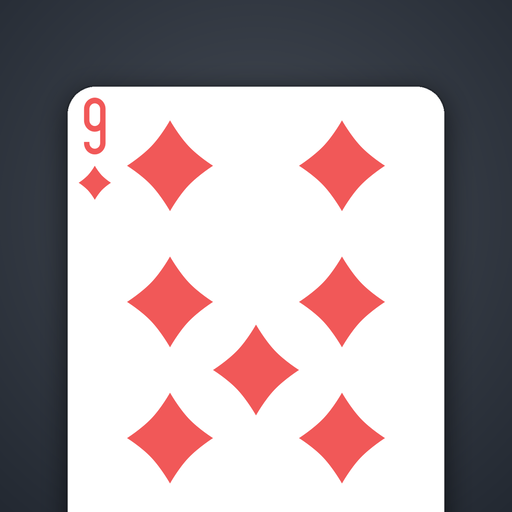
Whoever holds the nine of diamonds, and they must open with it. If that is you, Play the nine of diamonds automatically in Settings puts it down for you.
How is a deal scored?
The deal ends the moment someone plays their last card. Everyone else pays a penalty point for every card still in hand, and every player — the one who went out included — pays for each pass they made. A pass costs one point unless you set it to nothing or two in Settings. The match ends when someone reaches the match score (50, or 30, or 100), and the lowest total wins.
The table is too small to read.
Pinch with two fingers to zoom the table in and out, and drag with one to move around it. The button in the corner of the table shows the whole table again.
My game disappeared — can I resume it?
A game against the computer saves after every card and reappears as Resume game on the main menu. It is cleared when the match finishes, when you start a new one, and when you change the difficulty or a house rule the dealt hand cannot absorb — the game asks before it does that.
How does online play work?
Choose Play online, enter any name, then use Quick match to sit at the next table with room, enter a code somebody has given you, or create a table of your own and pass its code on. A seat nobody takes is played by the computer. No account is needed.
I lost my connection during an online game.
The game tries to reconnect by itself. Re-open the app and you will be put back at the same table if the match is still running.
“Couldn’t reach the server” when playing online
A game against the computer needs no connection, so this only affects online play. Check the device is online, then try again — if it persists, write to us with the approximate time and we will look at the server logs.
What does the full version include?
The Hard opponent without limit (the free game includes three matches against it), every table felt — petrol, green and crimson alongside the charcoal — and opening your own online table under your own house rules. Joining a table and Quick match stay free. It is a single purchase, not a subscription, and it never expires.
How do I change the language?
Settings → Media → Language. By default the game follows your device language; English and Russian are both fully translated.
Is my data collected?
No account, no advertising, no analytics. The game can send crash reports to our own server so faults can be fixed, and that can be switched off in Settings → Data. The Privacy Policy sets out exactly what a report contains.
Report a bug
Found something odd? E-mail [email protected] with the steps to reproduce and a screenshot if possible. It helps enormously.